Your whole home, on one simple screen.
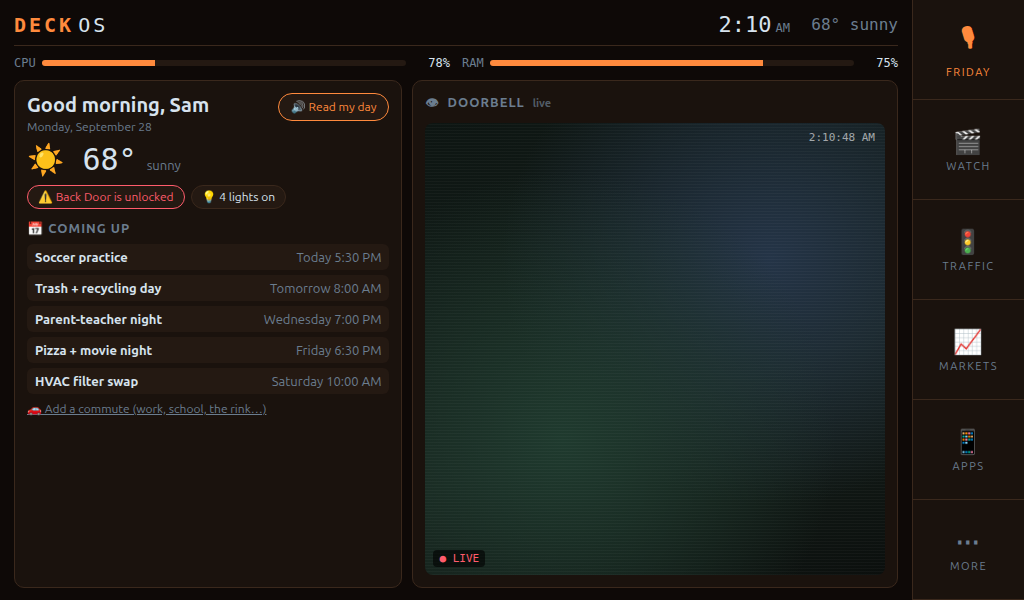
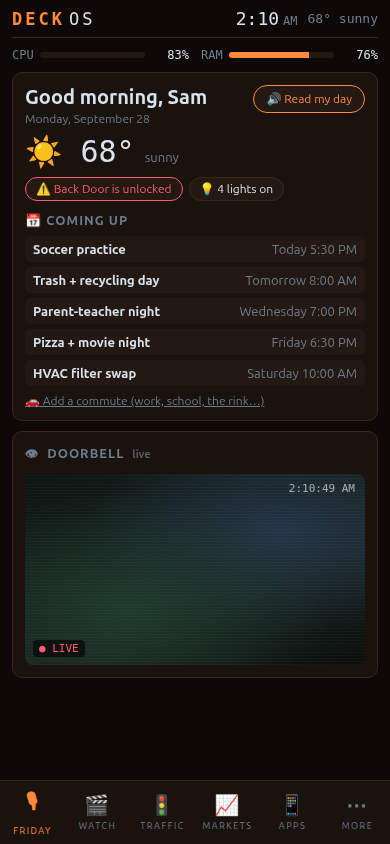
Deck OS turns Home Assistant into a home screen for your PC and phone. Lights, cameras, locks, the thermostat, the family calendar and grocery list, all in one place. Everyone in the house gets their own login.
Windows 10/11 · works with any Home Assistant · no account needed to try
Everything your home can do, without the tinkering
Deck OS finds your devices in Home Assistant automatically and builds the screen for you.
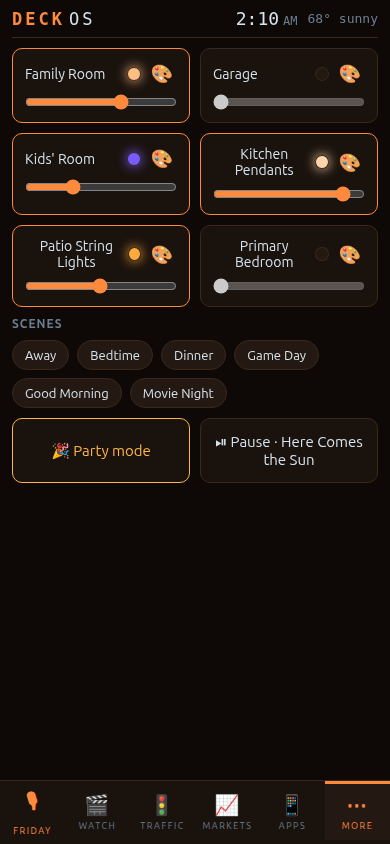
Tap to toggle, slide to dim, pick any color. One tap for Movie Night or Bedtime.
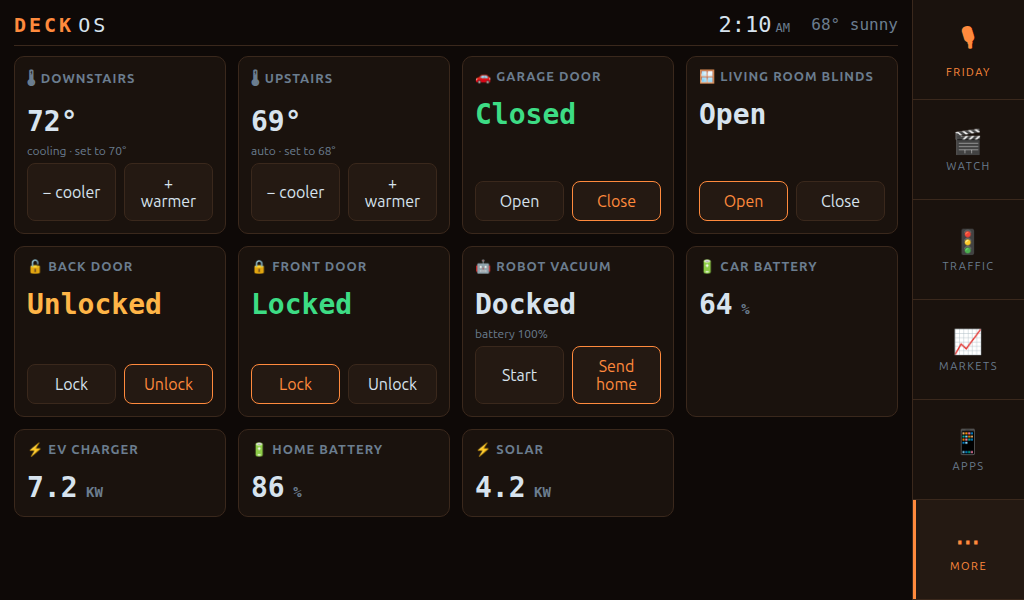
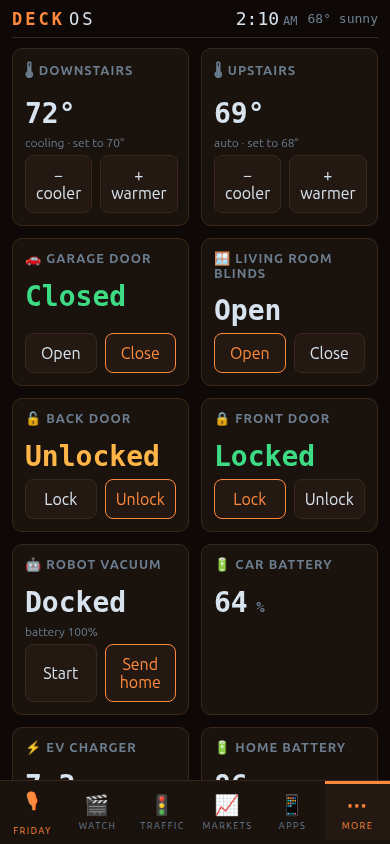
See what's unlocked or left open, right on the home screen. Blinds and robot vacuum too.
Your doorbell and cameras, live, on your PC or phone.
Invite family with a link. Kids get bedtime and can't unlock doors. Guests expire on their own.
Groceries, shopping and your week ahead, shared with the house.
Solar, home battery and EV charging at a glance.
Power, volume, inputs and arrows for every TV, streaming stick and speaker - on your phone.
Kept by Deck OS, not your phone. They ring through Silent and Do Not Disturb until you say "I'm up".
Prop a spare tablet in the kitchen or by the bed: an always-on clock, calendar, lights and family board.
Hire little AI agents in one sentence - a morning briefing, closing up the house at night - and they report back.
Say or type whatever's on your mind. It sorts itself into reminders, alarms, lists and your calendar.
A sign-in link instead of passwords, a guided home-screen setup, Easy mode with big buttons, and a 3-minute tour.
Looks good on the big screen and in your pocket
Add it to your phone's home screen and it opens like an app. Five color themes.
It's yours. Change anything.
Deck OS is never finished — it's built to keep changing. Once you buy it and set it up, it's yours: your home, your money plans, your family, your rules.
Deck OS was built with Claude Code (Anthropic's AI coding assistant). Want something it doesn't do yet? Open Claude Code in your Deck OS folder, describe what you want in plain words, and it can build it into your copy.
Deck OS is sold as-is. We don't offer one-on-one help customizing your copy — that's what Claude Code is for.
Simple pricing
Look around free for 5 days. Then pay once: your license key connects your home and unlocks everything. Pay by card, Apple Pay, Google Pay or PayPal.
5-day trial
- Explore Deck OS with a made-up home
- Talk to Elara: she runs the made-up home, answers questions and jokes around
- Try the basics: themes, lists, notes, calendar
- No card needed
- Connecting your own Home Assistant needs a license key
Deck OS
One payment. No subscription. Free updates. Comes with your license key.
🎁 Got a friend with Deck OS? Their link makes it $35.
- Connect your own Home Assistant: lights, cameras, devices, thermostat
- Elara, the voice assistant
- Money tools built around your own goals
- Logins for everyone in your household + parental controls
- Guest passes: people staying with you can use Elara while they're there
- Markets, Food, Movies, routines, reminders, every theme
- Yours to change: add anything with Claude Code
Deck OS Cloud
- Use Deck OS on your phone away from home, with nothing to set up
- Premium AI for Elara
- Totally optional: Deck OS works fully without it
Prices in US dollars. 14-day money-back guarantee. Buying opens soon: tap Get notified to join the Garland Enterprises list and hear the day it does. Checkout and sales tax will be handled by Lemon Squeezy.
Download Deck OS
Try it free for 5 days. Your license key unlocks connecting your home. Nothing else to install: Deck OS brings everything it needs.
- Unzip the folder and open 1 - READ ME FIRST.txt.
- Double-click Start Deck OS.bat.
- Paste your Home Assistant address and token. That's it.
Just looking? Double-click Try the Demo.bat for a made-up home, no Home Assistant needed. Mac and Linux versions are on the way: tap their buttons to hear when they're ready.
Questions
What do I need?
A Windows 10 or 11 PC and Home Assistant running at home. Deck OS works with whatever devices your Home Assistant already has.
Does my data leave my house?
No. Deck OS runs on your computer and talks to your own Home Assistant. The only thing it sends out is a weekly check of your license key.
Can I use it away from home?
Yes, through Tailscale (free), which links your phone to your home securely. Deck OS turns away everyone else on the internet.
How do parental controls work?
Invite someone as a Kid and you choose which features and devices they can use, plus a bedtime. Kids can see locks and the garage but can never unlock or open them.
What can I do in the trial?
Look around Deck OS with a made-up home, talk to Elara (she runs that home for you), and try the basics (themes, lists, notes, calendar). Connecting your own Home Assistant and the full features need the license key that comes with your purchase ($40 once). After 5 days, Deck OS asks for that key; nothing you set up is deleted.
Can I add my own features?
Yes. Deck OS was built with Claude Code, and your copy is yours to change. Open Claude Code in your Deck OS folder and describe what you want ("add a page that tracks my dog's vet visits") and it can build it in.
Do you help with setup or customizing?
Deck OS is sold as-is. The setup wizard walks you through everything, and for anything beyond that, Claude Code (or any AI coding assistant) can help you change your copy however you like.
Can guests use it?
Yes. Give someone staying with you a guest pass and they can talk to Elara and use what you allow (like the lights in their room or the music) while they're there. They can never unlock doors or see your money or private info, and the pass ends when they leave.
Can I share it with friends?
Yes. Everyone who buys Deck OS gets their own share link. Anyone who buys through it pays $35 instead of $40, and the discount is already filled in at checkout.
Is it a security system?
No. Deck OS is a convenience app. Keep your real alarms, smoke detectors and locks working on their own.